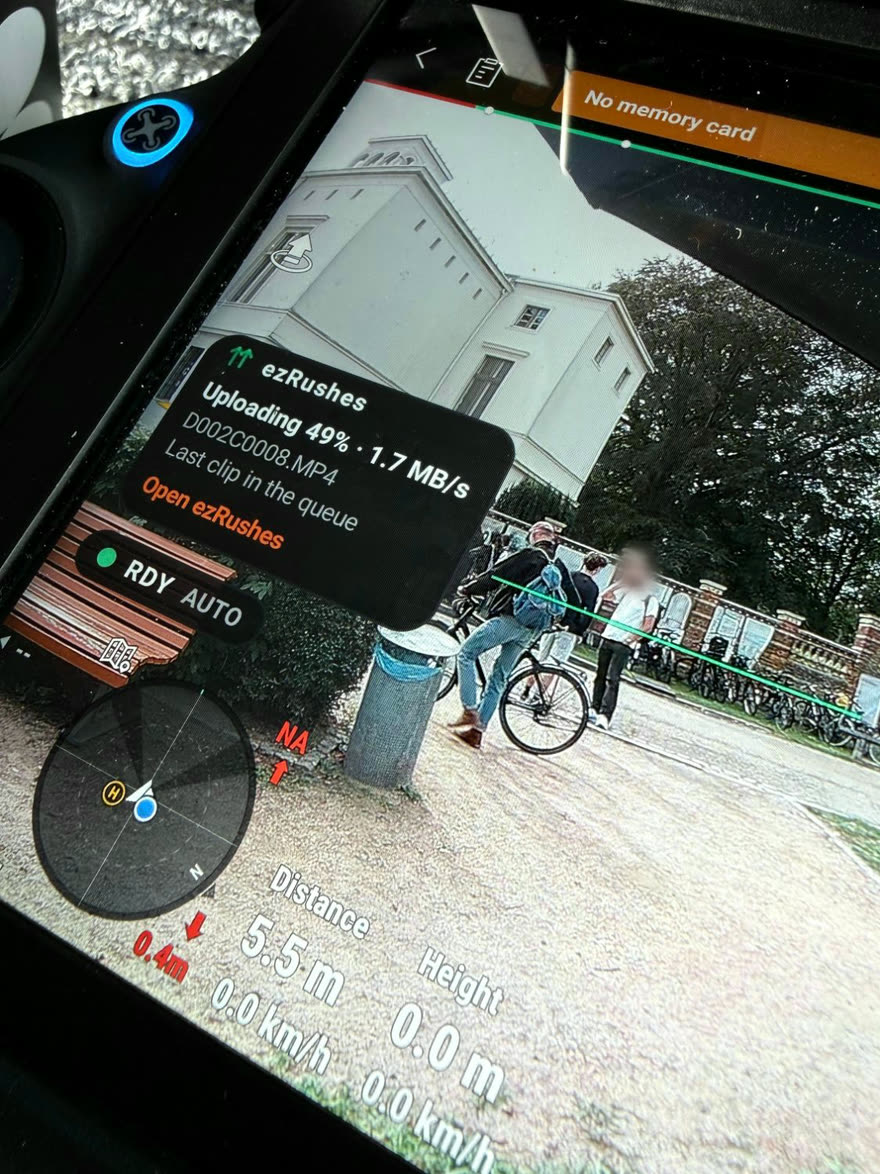
What exactly gets uploaded?
The low-res cache clips (proxies) DJI writes on the remote while recording — around
6–9 Mbit/s H.264. Your originals stay untouched on the drone's media.
Does it need a laptop on set?
No. The app runs on the DJI smart controller itself. As long as the remote has internet
(Wi-Fi or phone hotspot), clips flow to your portal automatically.
Which remotes are supported?
DJI smart controllers with a built-in screen: the DJI RC Plus (Inspire 3), DJI RC Pro 2
(Mavic 4 Pro) and DJI RC Pro (Mavic 3 series). The RC-N series and RC 2 / RC are not supported.
Full details in the compatibility list.
How many remotes and drones can I connect?
As many as you like. Pair every remote and drone on your fleet to the same account — there's
no per-device limit and no extra fee per remote. The only thing that scales with your plan is
storage: all your remotes upload into your shared webspace quota, so the storage tier is the
single limiting factor, not the number of devices.
How do clients give feedback?
They open your project link, enter the PIN and mark clips as Select / Maybe / No, with
comments. You see new comments highlighted in your admin view.
What if the remote is not connected to the internet while shooting, or the connection is slow or inconsistent?
Just keep shooting. Every clip waits in the upload queue on the remote and uploads by itself as
soon as there is a connection — at the hotel, on a hotspot, the next day. Uploads are sent in small
pieces and resume exactly where they stopped, so a dropped or patchy connection never restarts a clip
and never blocks the DJI app.
Each clip remembers the project and folder it was recorded for. If you switch to another project
before the remote is back online, yesterday's clips still land where they belong. On weak networks you
can switch to LQ uploads (a lighter re-encode made on the remote), pause uploads entirely, or let the
battery guard hold them back — and the wrap check tells you at the end of the day whether everything
is on the server. Clips recorded while the app wasn't running can be added with one tap.
What happens when I run out of server storage?
Your shoot is not interrupted. Beyond your plan's storage, uploads continue on a safety buffer
(5 GB, 3 GB on Free), and you get a warning right away — in your admin portal, in the app on the remote and by
email — so you can react between takes instead of finding out at wrap.
Only when the buffer is used up as well are new uploads refused. Nothing is lost: the clips stay
in the queue on the remote and upload automatically as soon as there is space again — delete clips
or projects you no longer need, or upgrade your plan. Clips already in the
portal stay available to you and your clients the whole time.
The buffer is there to get you through a shoot, not to replace a bigger plan: accounts that stay
over their plan can be suspended — see our terms.
Can I host it myself?
Yes — that's the Enterprise tier: the same portal as a self-hosted
package on your own webspace and domain. Get in touch for pricing.
Is there a referral program?
Yes. Every account has a personal invite link (find it on your
account page). A crew that registers through it starts with an
extra +1 GB — and you permanently gain +1 GB and +1 project slot per invite, up to
three invites. On Free that means up to 5 GB and 4 projects, for free.